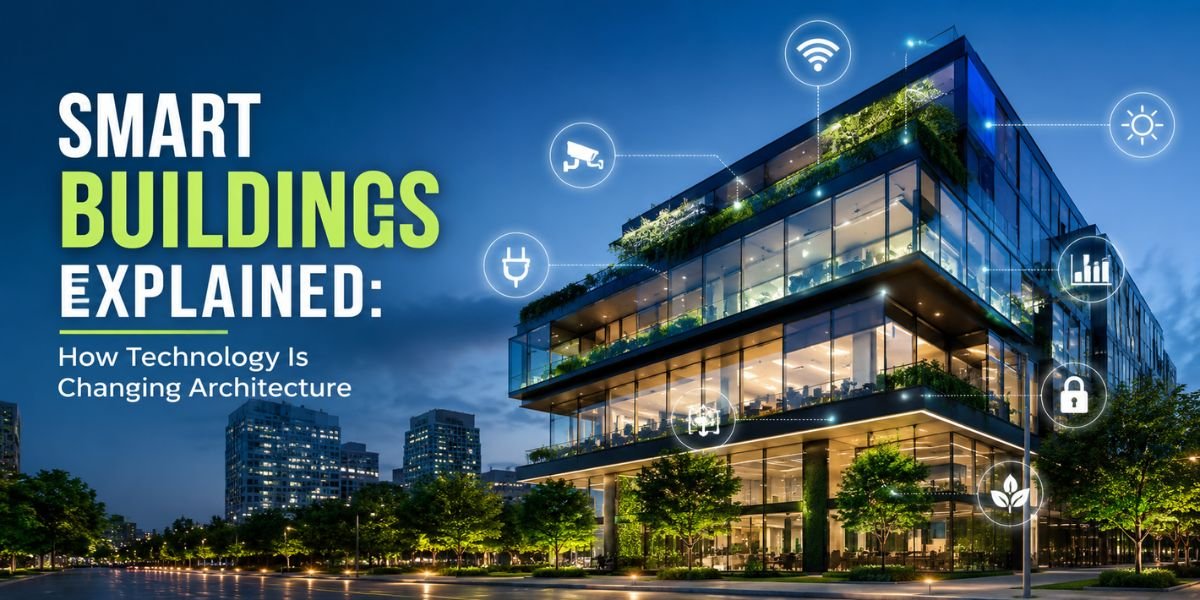
Introduction: When Your Building Starts Thinking for Itself
A homeowner in Phoenix recently told me she noticed her energy bill dropped by nearly 30 percent after she upgraded to a smart HVAC system — without changing a single construction element. That kind of savings used to require a full HVAC overhaul. Today, it happens because the building itself has gotten smarter.
If you’ve been hearing terms like IoT sensors, automated climate control, and intelligent infrastructure thrown around at trade shows or on renovation forums, you’re probably wondering: what are smart buildings, and does any of this actually apply to a regular homeowner or property investor? The short answer is yes — and the technology is more accessible than most people realize.
Smart buildings are no longer the exclusive territory of corporate skyscrapers and high-tech campuses. Whether you’re managing a single-family home, a rental property, or a commercial space, understanding how intelligent building technology works can help you save money, improve comfort, reduce maintenance headaches, and increase property value.
Let’s break it all down in plain language.
Quick Answer: What Makes a Building ‘Smart’?
In short: A smart building uses connected technology — sensors, automation systems, and data analytics — to control and optimize its environment, energy use, security, and maintenance automatically. Think of it as a building that monitors itself and adapts in real time.
Smart buildings rely on a network of devices and systems that communicate with each other, collect data, and make automated or AI-assisted decisions. This can range from a simple smart thermostat to a full building management system (BMS) controlling HVAC, lighting, security, plumbing monitoring, and structural health all from one platform.
What Are Smart Buildings? A Closer Look
At their core, smart buildings integrate physical construction with digital intelligence. Traditional buildings are passive — they shelter people but don’t respond to their needs dynamically. A smart building, by contrast, constantly gathers information and adjusts its systems to match real-world conditions.
The Core Components
Here are the building blocks you’ll typically find in a smart building setup:
- Sensors and IoT Devices — These measure temperature, humidity, occupancy, air quality, light levels, water flow, and more
- Building Management Systems (BMS) — A central software platform that collects sensor data and automates control of HVAC, lighting, and other systems
- Energy Management — Smart meters, automated blinds, and demand-response systems that reduce energy waste
- Smart Security — Keyless access, facial recognition, AI-powered camera systems, and remote monitoring
- Predictive Maintenance — Sensors that detect early signs of equipment failure before a breakdown happens
- Connectivity Infrastructure — Wi-Fi 6, Zigbee, Z-Wave, or proprietary networks that keep all devices talking to each other
When all of these components work together, a building starts to feel less like a static structure and more like a living, responsive system.
How Technology Is Changing Architecture
Here’s where it gets really interesting from a construction standpoint. Smart technology isn’t just being bolted onto finished buildings — it’s changing how architects design buildings from the ground up.
Design for Data
Modern architects now have to think about cable pathways, sensor placement, server rooms, and network topology during the framing stage. Rough-in conduit for low-voltage wiring is becoming as standard as rough-in plumbing. Buildings are being designed with what industry professionals call ‘technology-ready infrastructure’ — meaning the walls, ceilings, and floors are pre-wired and positioned to support sensors and controllers long before any smart devices are installed.
Façade and Building Envelope Innovation
Smart glass — also called electrochromic glass — can automatically tint based on sunlight intensity, reducing solar heat gain without the need for blinds. This directly affects HVAC load calculations and is now factored into building envelope design. It’s a technology that bridges architecture and automation in a way that simply wasn’t possible 15 years ago.
Structural Health Monitoring
In commercial and multi-family construction, embedded sensors within the concrete slab and structural framing members can now monitor stress, vibration, and even moisture levels in real time. This is a game-changer for post-earthquake inspections, long-term maintenance planning, and insurance underwriting.
Adaptive Lighting and HVAC Integration
Occupancy sensors tied into lighting controls and HVAC zoning systems are now standard in high-performance buildings. Instead of running full HVAC to an empty conference room all day, the system detects vacancy and adjusts airflow and temperature automatically. In residential settings, this same concept applies to smart thermostats and zoned mini-split systems.
How to Build a Smart Home on a Budget
You don’t need to spend six figures to get meaningful smart-home functionality. One of the most common questions I hear from homeowners is how to build a smart home on a budget — and the good news is that a phased, practical approach works really well.
Start with the High-Impact Systems
Not all smart upgrades deliver equal value. Here’s where to put your money first:
- Smart Thermostat ($100–$250) — Devices like the Ecobee or Nest can pay for themselves within a year through energy savings. This is the single highest ROI smart upgrade for most homes.
- Smart Lighting ($15–$40 per bulb) — LED smart bulbs with scheduling and occupancy control reduce electricity use significantly. Start with high-traffic areas.
- Smart Door Locks ($150–$350) — Keyless entry adds convenience and security without rewiring your door frame.
- Smart Leak Detectors ($20–$60 each) — Place under sinks, near water heaters, and beside washing machines. These tiny devices can prevent thousands of dollars in water damage.
- Smart Plugs ($10–$25 each) — Turn any outlet into a controllable device. Great for controlling lamps, space heaters, and appliances remotely.
Budget Phases
- Phase 1 (Under $500): Smart thermostat, smart lock, and 5–10 smart plugs
- Phase 2 ($500–$1,500): Smart lighting throughout, security cameras, and leak detectors
- Phase 3 ($1,500–$5,000): Smart panel integration, whole-home automation hub, and solar monitoring
Pro Tip: Choose a single ecosystem (Google Home, Amazon Alexa, Apple HomeKit, or a platform like Home Assistant) before buying any devices. Mixing ecosystems creates integration headaches and limits your ability to automate across devices.
Advanced Builds: The Smart Falcon Build Approach to Custom Homes
If you’re building a new custom home or planning a major renovation, you might have come across the concept of a smart falcon build — a design philosophy in high-performance custom construction that treats technology infrastructure with the same priority as structural framing and MEP (mechanical, electrical, plumbing) systems.
The idea is simple: you don’t retrofit smart technology into a finished building—you design for it from the beginning. Similar digital-first planning principles are also driving the rise of digital twins in construction, allowing builders to visualize, monitor, and optimize projects long before completion.
- Dedicated conduit runs — Low-voltage conduit from a central equipment room (often called a ‘tech closet’) to every room, run during the rough-in phase before drywall goes up
- Distributed antenna systems (DAS) — In-wall wireless signal boosters ensuring 5G and Wi-Fi coverage in every corner of the home, including the basement and garage
- Pre-wired motorized shade pockets — Built into window framing so motorized shades can be installed without ugly surface-mount hardware
- Structured wiring panels — A centralized location for all networking, audio/video, and security wiring — much like an electrical panel, but for data
- Backup power integration — Battery storage systems and generator transfer switches designed in from day one, not added as an afterthought
Custom builders who follow this methodology often find that the upfront cost adds roughly 3–8% to the total build budget — but the resulting home commands a significantly higher resale value and appraises better in tech-forward markets like Seattle, Austin, and Denver.
For anyone planning a ground-up custom build, I’d strongly recommend reading our full guide on modern construction planning at IngeBIM.com — Home Construction & Technology Hub
Smart Building Cost Breakdown
Costs vary significantly depending on whether you’re retrofitting an existing home or integrating smart tech into new construction. Here’s a general breakdown:
Residential Retrofit
- Entry-level smart home package — $500 – $2,000 (thermostat, locks, basic lighting)
- Mid-range automation — $2,000 – $10,000 (full lighting control, security system, motorized shades, smart HVAC zoning)
- Premium whole-home automation — $15,000 – $50,000+ (Savant, Control4, or Crestron systems with professional programming and ongoing support)
New Construction Add-Ons
- Low-voltage rough-in wiring — $2,000 – $8,000 depending on home size
- Structured wiring panel — $500 – $2,000
- Smart electrical panel (e.g., Span Panel) — $1,500 – $3,500 installed
- Integrated security and AV system — $5,000 – $25,000+
Keep in mind that some utility companies offer rebates for smart thermostats and energy monitoring devices. Always check with your local utility and state energy office before purchasing — this can reduce your out-of-pocket cost meaningfully.
Common Mistakes Homeowners Make with Smart Building Upgrades
- Buying devices before choosing an ecosystem — You’ll end up with a fragmented system that requires three different apps and doesn’t automate well.
- Skipping the network infrastructure — Smart devices are only as good as your Wi-Fi. A weak or crowded network kills smart home reliability. Invest in a mesh Wi-Fi system first.
- Forgetting about cybersecurity — Every smart device is a potential entry point for hackers. Always change default passwords, keep firmware updated, and segment IoT devices onto a separate network.
- Over-automating too fast — Start with one or two systems and learn them well before expanding. Many homeowners buy 20 devices at once and end up frustrated with complexity.
- Not running conduit during renovation — If you’re opening walls for any reason, run conduit. It costs very little during a remodel but is extremely expensive to add later.
Professional Installation vs. DIY: Which Is Right for You?
DIY Makes Sense For:
- Smart thermostats
- Smart plugs and bulbs
- Basic smart locks
- Wi-Fi cameras and video doorbells
- Leak and smoke detectors
Hire a Professional For:
- Whole-home automation systems (Control4, Crestron, Savant)
- Low-voltage wiring during construction
- Smart electrical panel installation
- Integrated HVAC control systems
- Commercial or multi-family building automation
Safety note: Any work involving your main electrical panel or load-bearing wall penetrations for conduit runs should always be performed by a licensed electrician or contractor. Smart technology is exciting, but it doesn’t override basic electrical safety or building code requirements.
Maintaining a Smart Building System
Smart systems require some ongoing attention to stay reliable:
- Update firmware regularly — Manufacturers push security and performance updates. Enable automatic updates where possible.
- Check battery-powered devices quarterly — Door sensors, leak detectors, and motion sensors run on batteries that need replacement.
- Audit your network annually — Remove devices you no longer use. An overcrowded network slows everything down.
- Back up your automation settings — If your hub fails or resets, having a backup of your scenes and automations saves hours of reprogramming.
- Test fail-safes — Smart locks should always allow manual key override. Test this annually.
Going Deeper: Related Resources on IngeBIM
For a detailed breakdown of how smart technology is impacting property values and renovation planning, check out our comprehensive guide on modern home renovation strategies at IngeBIM.com — it covers everything from framing upgrades to integrating technology during a remodel.
For an authoritative external perspective on building automation standards, the U.S. Department of Energy’s Building Technologies Office publishes excellent research on energy-efficient and intelligent building systems.
Conclusion: Smart Buildings Are the Future — and the Present
Smart buildings aren’t a distant tech fantasy anymore. From a $150 smart thermostat in a starter home to a fully automated custom build with integrated battery storage and structural health monitoring, the spectrum of intelligent building technology is wide enough to suit almost any budget and project scope.
The core takeaway is this: technology has become a legitimate part of construction and architecture, not just an accessory. Whether you’re renovating a kitchen, building a custom home, or managing a rental property, there are smart upgrades that will save you money, reduce maintenance headaches, and improve the comfort of anyone inside.
Start small, choose your ecosystem wisely, and invest in the infrastructure that makes future upgrades easy. The best smart home is one that quietly works in the background — and you barely have to think about it.
FAQs
1. What is the difference between a smart home and a smart building?
A smart home refers to residential technology integrations — thermostats, lighting, locks, and appliances. A smart building is a broader term that includes commercial, industrial, and multi-family properties with more complex systems like building management platforms, structural sensors, and enterprise-grade security. The underlying technology principles are the same; the scale and complexity differ.
2. Do smart buildings save money on energy bills?
Yes, meaningfully so. Automated HVAC zoning, occupancy-based lighting, and smart energy management can reduce energy consumption by 20–40% depending on your current setup and how well the system is configured. Smart thermostats alone typically show a 10–15% reduction in heating and cooling costs.
3. Are smart home devices secure?
They can be, but security depends on how you manage them. Always change default passwords, keep firmware updated, and put IoT devices on a separate Wi-Fi network (most modern routers support this with a guest network or VLAN). Avoid cheap, unbranded devices from unknown manufacturers, as these often have poor security standards.
4. Do I need a permit to install smart home technology?
Most plug-and-play smart devices — thermostats, bulbs, cameras, plugs — don’t require permits. However, if you’re replacing your electrical panel with a smart panel, running new low-voltage wiring inside walls, or installing hardwired security systems, local building codes may require permits and licensed contractors. Always check with your local building department.
5. What smart upgrades add the most value to a home?
Based on what real estate professionals and appraisers report, the highest-value smart upgrades tend to be smart thermostats, integrated security systems, smart locks, and whole-home lighting automation. In high-end markets, a full smart home integration with a recognized platform (like Control4 or Savant) can add meaningful resale value.
6. How long does it take to set up a smart home system?
A basic setup — smart thermostat, a few bulbs, and a lock — can be completed in a weekend with no professional help. A mid-range system with multiple zones, cameras, and a central hub might take a weekend plus a few evenings of programming and fine-tuning. A full professional smart home installation can take anywhere from a few days to several weeks depending on the scope.
7. Can renters install smart home technology?
Many smart upgrades are renter-friendly — smart bulbs, plugs, and portable cameras don’t require any permanent changes. Smart thermostats and locks may require landlord permission since they involve replacing existing hardware. Always check your lease agreement and ask permission before making any modifications.
8. What is a building management system (BMS)?
A BMS is a centralized software platform used in commercial and large residential buildings to monitor and control mechanical, electrical, and plumbing systems from one interface. Think of it as the operating system of a smart building — it collects data from sensors and automates responses based on preset rules or AI-driven optimization. In smaller homes, a smart home hub like Home Assistant or SmartThings serves a similar function at a residential scale.